
How to Set the Time and Date on a Rolex: A Step-by-Step Guide
Posted by Luxury of Watches on 7th Oct 2026
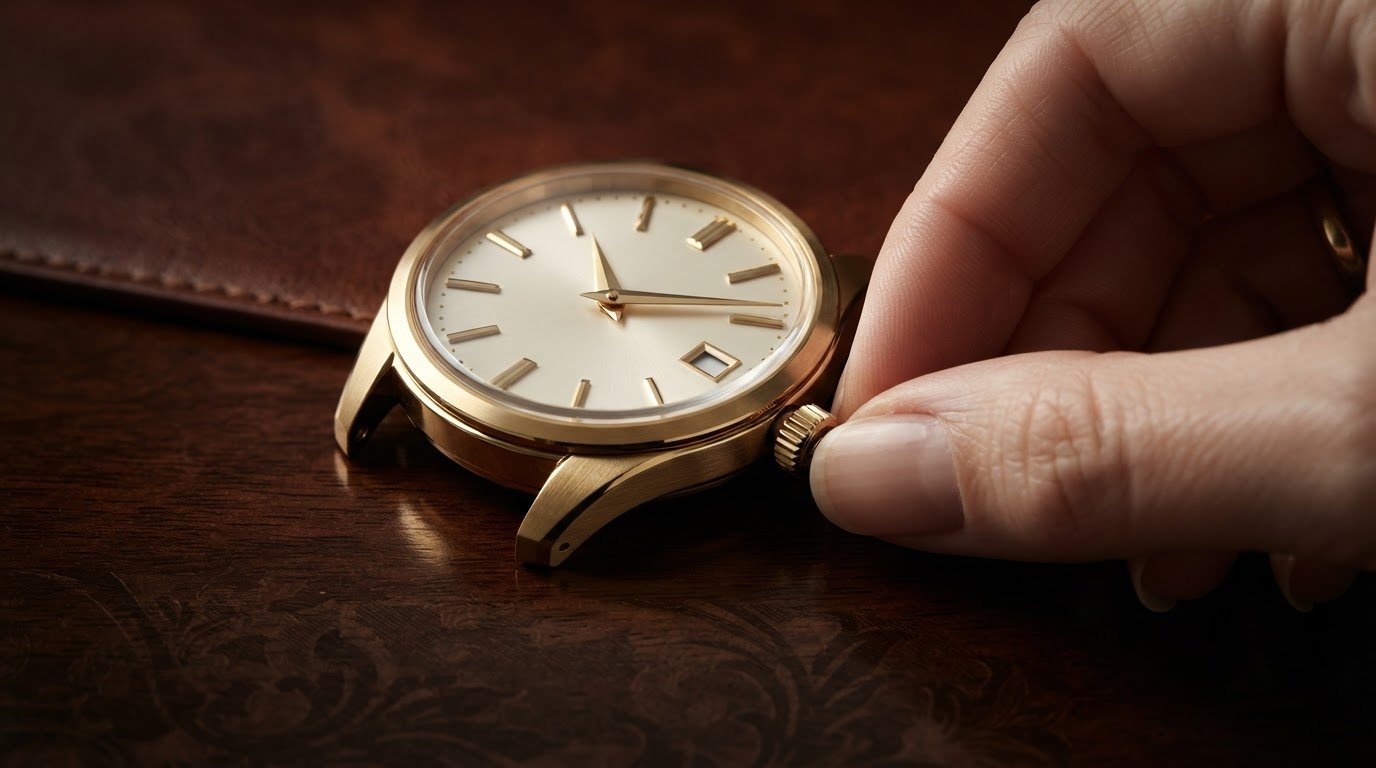
What if the most important step in learning how to set the time and date on a rolex is knowing when not to turn the crown? That caution makes sense: the crown is designed to seal securely, and its functions vary by model. Some Rolex watches have no date display, while others show the date or both the weekday and date.
This guide explains how to identify your watch’s crown positions, make adjustments carefully, and secure the crown when you’re finished. The key is to follow the instructions for your specific model instead of assuming every Rolex works the same way.
Use these steps as a practical guide, not a substitute for your watch’s model-specific instructions. If you can’t identify a crown position or the crown resists movement, pause and consult the user guide before continuing.
Key Takeaways
- Check the dial first: some Rolex models show the time only, some display the date, and day-date models show both the weekday and date.
- Learn how to set the time and date on a rolex by matching each function to the crown position described in the instructions for your specific model.
- Work at a stable, well-lit surface and make adjustments gently. Stop if the crown feels unfamiliar or resists movement.
- If the display doesn’t change as expected, revisit the model-specific instructions before trying another crown position.
- Before wearing the watch, confirm the display is correct and return the crown to the position specified in the instructions.
Before setting a Rolex: identify its crown and date display
Before touching the crown, identify your model and check what appears on its dial. Some Rolex watches show the time only, some display the date, and day-date models show both the weekday and date. This quick check tells you which calendar adjustments apply to your watch and prevents you from trying to set a feature it doesn’t have.
Rolex watches use different models and movements, so don’t rely on a procedure just because another watch looks similar. The Rolex Wikipedia page offers broader context on the brand, but the user instructions for your watch should guide any adjustment. If you’re learning how to set the time and date on a rolex, start by matching its model reference to the corresponding guidance.
How to identify your Rolex model before adjusting it
Find the model reference and compare it with the watch’s paperwork or user instructions. The reference helps you locate guidance that matches the watch’s crown and calendar functions. If the documents aren’t to hand, use the model information you have to find the corresponding Rolex user guide. Don’t assume a familiar-looking dial means the crown works the same way.
What the winding crown controls
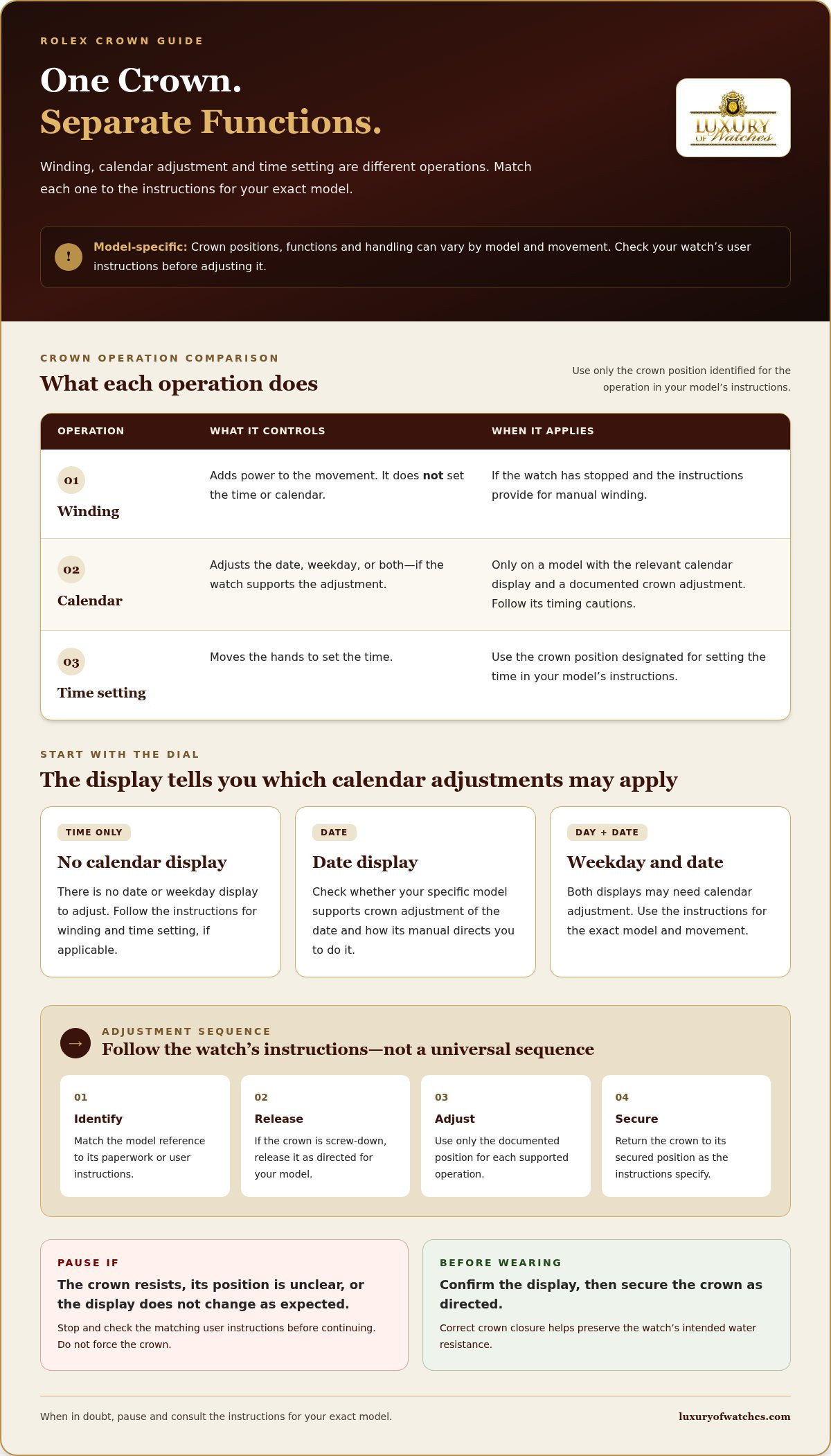
A winding crown is the control on the side of a watch used, depending on the model, to wind the movement and adjust the time or calendar. Winding, setting the time, and adjusting the calendar are separate operations. A crown position used for one may not serve another, and some Rolex watches have no calendar adjustment because they don’t display a date or weekday.
Many Rolex watches have a screw-down crown. Release, operate, and secure it according to the instructions for your specific model. The way it unscrews, the positions it moves through, and the function available at each position can vary by model and movement. Never force the crown if it resists or its position is unclear. Pause and check the matching instructions before continuing.
How Rolex crown positions control winding, date, and time
Think of the crown positions as separate controls, not as one universal sequence for every Rolex. After releasing a screw-down crown as directed for your model, use only the position identified for the operation you need. Depending on the watch, that may mean winding the movement, adjusting a calendar display, or setting the hands. Some models don’t offer every function.
Check the model-specific user instructions before moving the crown. The Official Rolex Website is a useful starting point for Rolex information, but the exact position labels and handling steps in your watch’s instructions should guide the adjustment. A sequence shown for another model may not apply to yours.
Screw-down crown: releasing and securing it correctly
Release a screw-down crown before using it for adjustments, then return it to its secured position when you’re finished. Follow your model’s manual for the direction and method. Don’t pull or turn the crown in a way the instructions don’t describe. If it resists, stop rather than forcing it. Secure it as directed after setting the watch, since correct crown closure helps preserve the watch’s intended water resistance.
Why date-setting instructions can vary by Rolex
Calendar functions depend on the model and movement. One watch may display only the date, another may show both the weekday and date, and some have no calendar display. That affects which adjustment, if any, is available through the crown. Position labels and diagrams are model-specific, so check them against the correct manual before making changes.
Date adjustments also require care. Follow the timing cautions for your watch’s model and caliber. Don’t apply a general clock-time rule without verifying that it fits your watch. If the guide doesn’t clearly explain when or how to adjust the calendar, pause before changing the date.
Depending on the model, the crown’s functions may include:
- Winding: adding power to the movement, where the model’s instructions provide for manual winding.
- Calendar adjustment: changing the date, weekday, or both, if the watch displays them and supports crown adjustment.
- Time setting: moving the hands to the correct time using the designated setting position.
Learning how to set the time and date on a rolex starts with matching each operation to the correct crown position, not guessing from a familiar-looking layout. If you’re considering a different model, you can explore Rolex watches and compare their displays before choosing one.
How to set the time and date on a Rolex step by step
Before you begin, find the user instructions for your exact Rolex model and movement. Crown positions and calendar procedures differ, so use the guide to identify each operation instead of relying on a sequence intended for another watch. Work at a clean, stable surface with good lighting so you can read the dial and calendar clearly.
- Check the display and instructions. Confirm whether your watch shows the date, the weekday and date, or no calendar. Locate the documented crown position for winding, calendar adjustment, and time setting. Skip any operation your model doesn’t support.
- Release the crown as directed. Follow the manual’s instructions for unscrewing or releasing it. If the crown resists, stop. Don’t force it or move it into a position you can’t identify.
- Wind the watch if needed. If the watch has stopped and its instructions describe manual winding, use the specified crown operation before setting the display. Winding powers the movement; it doesn’t set the time or calendar.
- Adjust the calendar, if your model allows it. Use the position and operation shown in the matching instructions to advance the date. For a day-date display, follow the directions for each indication. Check the manual for any timing cautions that apply to your model or caliber. If the date doesn’t change as expected, don’t force the crown.
- Set the time. Move the crown to the documented time-setting position, then advance the hands to the desired time. If your watch displays a date, observe when the calendar changes as the hands pass 12. This helps you distinguish midnight, when the date advances, from midday, when it should remain unchanged.
- Verify and secure. Check the displayed time and calendar against your intended settings. Then return and secure the crown exactly as the model instructions direct.
Set the date without assuming every model uses the same position
Find the date-setting position in your model’s manual before making an adjustment. Use only the documented crown movement to advance the display, and follow the guide’s advice about when to do so. If the instructions are unclear, pause rather than testing different positions. A date display may not be independently adjustable on every model.
Set the time and confirm the display
Use the designated time-setting position to move the hands, then watch the calendar as they pass 12 to establish whether the date changes at midnight or midday. Once the display is correct, secure the crown as instructed. This model-led approach makes how to set the time and date on a rolex a careful process, not a matter of guesswork.
Rolex time or date setting problems: what to check first
If the time or calendar doesn’t respond as expected, pause before trying another crown position. A display that seems incorrect can result from a setting misunderstanding, such as confusing midday with midnight, but the symptom alone can’t establish whether the watch needs attention. Recheck the instructions for your exact model and movement, then repeat an operation only if the manual clearly describes it.
The date changes at an unexpected time
A date that advances around midday may mean the hands are set to the wrong half of the day. Follow your model’s official instructions for setting the time and observe when the calendar changes as the hands pass 12. If the date changes at what you intended as midday, the hands may represent midnight instead. Use the documented time-setting procedure to correct the indication, then confirm the calendar transition again. This check can clarify a half-day mismatch, but it won’t resolve every calendar issue.
Don’t apply a general date-setting time rule unless it’s confirmed for your watch’s model or caliber. If the date remains incorrect, behaves unpredictably, or doesn’t change as expected after you’ve checked the instructions, stop adjusting and consult Rolex’s guidance for the watch.
The crown feels stuck or the display does not respond
Stop if the crown feels resistant, won’t return as expected, or seems to require extra pressure. Forcing it can risk damage. Check that you’re following the documented method for releasing and operating the crown, and verify that the position you’ve selected corresponds to the function you’re trying to adjust. Crown positions and available functions can differ between models.
If the hands don’t move or the calendar doesn’t respond, don’t keep cycling through unfamiliar positions. If your watch has stopped, consult its instructions to see whether manual winding is appropriate before assuming there’s a fault. If the problem persists, follow Rolex’s official servicing guidance rather than attempting further adjustments. Knowing how to set the time and date on a rolex also means recognizing when to stop and avoid turning a setting issue into a more serious concern.
Looking at different models? Explore Rolex watches and their features as you consider which display and functions suit you.
After setting your Rolex: secure the crown and keep the instructions
After adjusting the watch, verify the display and crown before wearing it. A final check can catch a date set to the wrong day or a crown that hasn’t been returned to its intended position. Use the instructions for your specific model as your reference, especially if the crown’s operation differed from what you expected.
A quick check before wearing the watch
Check the time against your intended local time, then confirm that the date and weekday, if shown, are correct. Make sure the crown has been returned and secured exactly as the model instructions direct. If you noticed unusual resistance, an unexpected display change, or other behavior that concerns you, don’t keep adjusting the watch to test it. Note what happened and consult the model-specific guidance.
- Display: Confirm the time and calendar indications are correct.
- Crown: Verify it’s back in its instructed, secured position.
- Operation: Check that the watch is running as expected, and take note of anything unusual.
This final review is a useful habit after learning how to set the time and date on a rolex. If an indication still seems wrong, return to the relevant instructions rather than repeating an operation you’re unsure about.
Keep model guidance with your watch records
Store the model reference and user instructions with the watch’s ownership paperwork and care information. That way, the correct setting procedure is easy to find next time. For a pre-owned Rolex, keeping its documents and care records together can also help you maintain an organized ownership history. Keep the information in a secure place, and refer to the manual whenever you’re uncertain about a crown position or calendar function.
With the display checked, the crown secured, and the instructions close at hand, your watch is ready to wear. Luxury of Watches offers authentic new and pre-owned Rolex watches. Compare models and their displays to find one that suits your preferences.
Set your Rolex with care and confidence
Setting a Rolex is straightforward when you begin with the instructions for your exact model. Identify the calendar features your watch has, follow the manual to distinguish winding, date adjustment, and time setting, and don’t force the crown if it feels resistant. Before wearing the watch, confirm the display and secure the crown as directed.
This model-specific approach is the key to understanding how to set the time and date on a rolex without relying on assumptions that may not fit your watch. Keep the instructions and ownership records together so the correct guidance is close at hand for future adjustments.
If you’re considering a Rolex for your collection, Luxury of Watches offers a specialized selection of authentic new and pre-owned Rolex watches. Its authentic watch selection includes a five-year in-house warranty. Explore Rolex watches at Luxury of Watches and find a model that suits your preferences.
Frequently Asked Questions
How do you set the time on a Rolex watch?
Use the time-setting position identified in the instructions for your exact Rolex model. Release the screw-down crown as directed, move it to the documented position, and turn it to move the hands to the correct time. If your watch has a date, watch when it changes as the hands pass 12 so you can distinguish midnight from midday. Follow the manual for returning and securing the crown.
How do you change the date on a Rolex?
First, confirm that your model displays a date and that its instructions describe a separate calendar-setting operation. Release the crown as directed, then use only the position and crown movement specified in the manual to advance the date. Day-date models may have additional calendar instructions. Don’t assume another Rolex’s procedure applies, and stop if the crown resists or the display doesn’t respond as described.
Can you set the date on a Rolex at any time?
No. Follow the timing cautions in the instructions for your specific model and movement. As a general precaution, avoid using a quickset date adjustment between 9 p.m. and 1 a.m., when the calendar mechanism may be engaged. The applicable guidance can vary, so check the watch’s manual rather than relying on this general window alone. If you’re unsure, wait and consult the model-specific instructions before adjusting the date.
Do all Rolex watches have a quickset date?
No. Some Rolex watches have no date display, and calendar-setting functions vary by model and movement. A watch with a date may use a different adjustment method from another model; a day-date display may also have separate instructions for the weekday and date. Check the user guide for your exact watch before operating the crown. Don’t assume a quickset function is present just because the dial shows a date.
Why does my Rolex date change at noon instead of midnight?
The hands may be set 12 hours out, so the watch’s midnight transition appears to happen at noon. Follow your model’s time-setting instructions and observe the calendar as the hands pass 12. If the date advances, that point represents midnight; if it doesn’t, it represents midday. Reset the hands using the documented procedure if needed. If the date still changes unexpectedly, stop adjusting and consult the watch’s official guidance.
What should I do if the crown on my Rolex will not turn?
Stop and don’t apply extra force. Check the model-specific instructions to confirm how to release the screw-down crown and which operation you’re attempting. A crown that feels resistant or behaves differently from the manual’s description shouldn’t be forced or repeatedly tested. If it remains stuck or the watch doesn’t respond as instructed, follow Rolex’s official servicing guidance rather than continuing to adjust it yourself.
Should I wind my Rolex before setting the time?
Not necessarily. Winding and setting the time are separate operations, and whether to wind first depends on the watch and its condition. If the watch has stopped, consult its model-specific instructions to see whether manual winding is appropriate, then use the documented crown position and method. If it’s already running, follow the guide for setting the time. Don’t wind or adjust the crown in an unfamiliar position.